5 Powerful Canva Apps That Will Instantly Boost Your Productivity in Canva!
Discover five powerful Canva apps that can instantly improve your productivity. From adding digital signatures to creating carousels, interactive booklets, event invitations, and optimized ads, this post walks you through practical tools that help you work faster and design smarter inside Canva. If you want to get more out of Canva beyond basic design, this guide is for you.

Canva is not just for design.
It is a full productivity ecosystem packed with powerful apps that can help you work faster, design smarter, and save serious time.
In this post, I am sharing five Canva apps that can immediately improve your workflow whether you are creating documents, social content, event invites, or ad campaigns.
Let’s get into it.
1. Can Sign – Add Signatures in Seconds

Can Sign allows you to quickly create and insert your digital signature directly into your design.
How it works:
- Open your document template such as an invoice.
- Go to Apps.
- Search for Can Sign.
- Choose your color.
- Draw your signature.
- Adjust the thickness if needed.
- Add it to your design.
You can also save your signature for future use, which makes embedding it into new documents effortless.
If you regularly send documents to clients, this saves time and adds professionalism instantly.
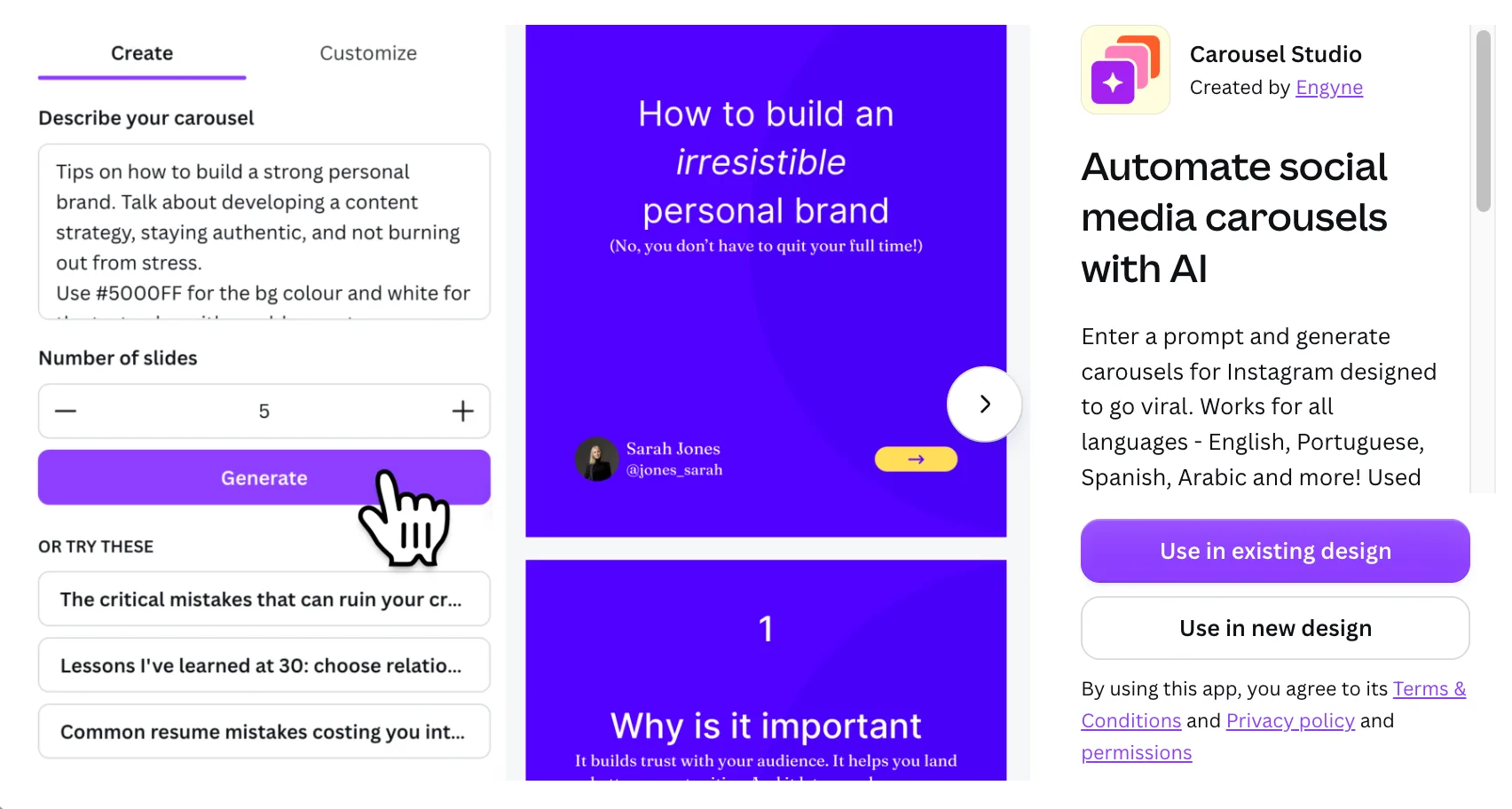
2. Carousel Studio – Create Carousels in Minutes
Creating Instagram carousels can take a lot of time.
Carousel Studio helps you generate structured carousel content in seconds.
- Open Apps.
- Search for Carousel Studio.
- Choose your format such as Instagram four by five.
- Describe your topic.
- Select the number of slides.
- Customize fonts and colors if needed.
- Click Create.
Within seconds, you will have a fully structured carousel with headings and content.
You can then edit, refine, and personalize it to match your voice.
If you create educational content, marketing slides, or informational posts, this tool is incredibly efficient.
3. Simple Booklet – Turn Static PDFs into Interactive Flipbooks
Static PDFs are fine.
Interactive flipbooks are better.
Simple Booklet transforms your Canva designs into animated page flipping documents you can embed or share.

- Open Apps.
- Search for Simple Booklet.
- Select an animation style.
- Export your design.
- Sign up and publish.
You will receive a shareable link or embed code.
This is perfect for brochures, course materials, reports, and pitch decks.
It makes your content feel premium and interactive.
4. CreatECard – Send Invitations and Track RSVPs
Hosting an event?
This app allows you to design and manage invitations directly inside Canva.
Create e Card allows you to design event invites, send them digitally, track RSVPs, and manage guest responses.

- Design your invitation in Canva.
- Open the Create e Card app.
- Sync your design.
- Set your event details.
- Publish.
- Share the generated invite link.
You can track responses and collect guest preferences.
This is powerful for webinars, workshops, launches, or private events.
5. Meta Design Check – Optimize Your Ads Before Running Them
If you run Facebook or Instagram ads, this app is extremely useful.
Meta Design Check analyzes your design and gives feedback based on advertising best practices.

- Open Apps.
- Search for Meta Design Check.
- Select where your design will appear such as feed or stories.
- Export for analysis.
The app reviews your dimensions, layout issues, and optimization suggestions.
It tells you if your ad needs resizing or refinement before you spend money on campaigns.
This alone can improve ad performance and save budget.
Final Thoughts
Canva is more than a design tool.
It is a productivity engine.
These five apps can help you save time, improve workflow, create smarter content, increase output quality, and launch faster.
Which of these apps have you tried?
And are there any Canva apps you would like me to explore next?
There is no limit to creativity.
Benjamin
🛠 Free tools for this topic
Sponsored
Try Canva Pro free for 30 days
No credit card needed · Cancel anytime · Affiliate link
You might also like
Benjamin T. Minnow
Creator of African Geek · 139K+ subscribers · Accra, Ghana
Share this post