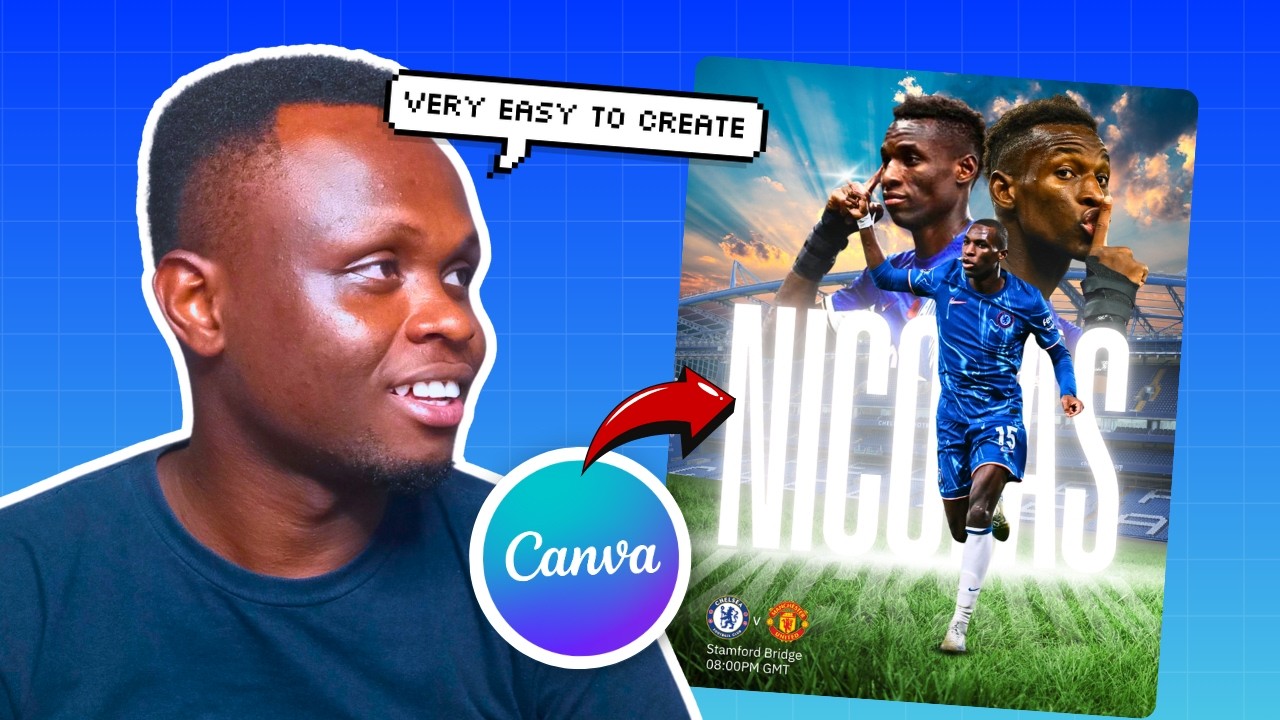
If you love football and Canva, this tutorial is going to feel like a perfect match. Benjamin walks you through the entire process of designing a high-impact football poster from scratch — the kind that stops the scroll, commands attention in a WhatsApp group, and looks like it was made by a professional sports agency. Whether you are designing for your local club, a school match, or just want to level up your Canva portfolio, this one is packed with techniques you will actually use.
Football poster design is one of those areas where the difference between average and epic comes down to a few key decisions — your color palette, how you handle player images, the energy your typography brings. In this tutorial, Benjamin breaks all of that down in a way that is easy to follow and immediately applicable, even if you are still building your Canva confidence.
By the end of this video, you will have a full football poster design process you can repeat for any team, any match, and any occasion. No design degree required — just Canva and the willingness to make something that stands out.
Advertisement
What You'll Learn
- How to set up a football poster canvas with the right dimensions and background for maximum visual impact
- Techniques for cutting out and positioning player images so they integrate seamlessly into your design
- How to use bold, layered typography that commands attention without cluttering the layout
- Color theory applied to sports design — choosing palettes that match team identity and create energy
- Advanced Canva effects like shadows, glows, and gradients to add depth and professionalism
- How to use shapes and graphical elements to build dynamic compositions that feel truly editorial
Step-by-Step Breakdown
-
Set Up Your Canvas — Open Canva and create a new design. For a football poster, a custom size of 1080 x 1350px works great for social media, or go with A3 (2480 x 3508px) if you need a print-ready version. Start with a solid dark background — deep navy, black, or charcoal — to make your colors pop.
-
Build Your Background Layer — Add energy to the background using gradient overlays, abstract shapes, or stadium textures. Use Canva's elements library to search for geometric shapes or light flare graphics, and layer them behind your main content at low opacity to create depth without distraction.
-
Import and Cut Out Your Player Image — Upload your football player photo and use Canva's Background Remover tool (available on Canva Pro) to isolate the player from their background. Position the cutout slightly off-center and let it bleed past the canvas edge for a dynamic, editorial feel.
-
Add Team Colors and Graphic Elements — Use rectangles, diagonal cuts, and bold color blocks in your team's primary colors to frame the design. Overlap these shapes behind and in front of the player image to create a sense of depth and movement. Canva's transparency slider is your best friend here.
-
Craft Your Typography Hierarchy — Add the match details or player name using bold, heavy fonts. Benjamin recommends pairing a thick display font for the headline with a clean sans-serif for supporting information like the date, time, and venue. Use contrasting sizes to guide the viewer's eye naturally through the poster.
-
Apply Effects for the Wow Factor — Select your text or player layer and experiment with Canva's shadow and glow effects. A subtle outer glow in your accent color around the player cutout instantly elevates the design. Add a color overlay or duotone effect on the background image to unify your palette.
-
Final Polish and Export — Step back and review your design at a smaller zoom to check visual balance. Adjust spacing, nudge elements for alignment, and make sure the most important information is readable at a glance. Export as PNG for digital use or PDF Print for physical printing.
Pro Tips from Benjamin
-
Go darker before you go brighter. Start with a dark or muted background and build upward with your accent colors. Trying to make a bright background work for sports design usually results in a busy, hard-to-read poster. Dark foundations make your colors and type sing.
-
Use the player cutout as a design anchor. Everything else — your text, shapes, and graphic elements — should be arranged around the player image, not fighting against it. Let the cutout dictate where your focal point lives, and build outward from there.
-
Repeat your accent color at least three times. Whether it is in a shape, a text highlight, or a glow effect, repeating your key accent color throughout the poster is what makes a design feel intentional and cohesive rather than randomly assembled.
Key Takeaways
- Dark backgrounds with bold color accents are the foundation of any great sports poster design in Canva
- Canva's Background Remover and shadow effects are the two most powerful tools for making football posters look professional
- Typography hierarchy — big headline, smaller supporting info — is what makes your poster readable and impactful at a glance
- Layering shapes, images, and text at different depths creates the dynamic, three-dimensional look that separates epic designs from ordinary ones
Ready to design for a real client or your club? Make sure you nail down their brand colors, fonts, and key information before you open Canva — it saves you time and revisions.
Advertisement